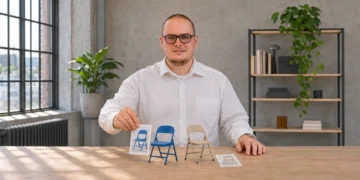

Canonicalisation helps a search engine choose the main URL among duplicate or very similar pages. Pagination, by contrast, makes the next part of a listing accessible. If you point the canonical on every catalogue page to page one, you are confusing two different tasks. A safe starting point is to give each page of the listing its own URL, its own canonical and accessible links to further content.
What canonical actually tells a search engine
A canonical URL is the representative address for a piece of content. A single product may be accessible through a clean URL, a link with a tracking parameter and another technical variant. If the content really is the same, you do not want every variant to become a separate search landing page.
The rel="canonical" element tells Google which URL you prefer. It is a strong signal, not a directive. Google may choose another URL. Redirects, inclusion in a sitemap and other signals also inform its decision. Fixing one line in a template while continuing to link to other variants is therefore not enough.




According to the canonicalisation documentation, the mere existence of duplicates does not violate spam policies. The problem is often more practical: ambiguous URLs, fragmented reports and unnecessary processing of variants. But canonical is not a universal button for removing every SEO problem. Two pages on a similar topic are not necessarily duplicates.
Canonical, redirects and noindex address different situations
First, write down what should happen to the URL. Should it remain accessible to users as a variant of the same content? Should it disappear altogether and send visitors elsewhere? Or should it work on the website but not appear in search? The technical solution follows from that answer.
- Canonical: you keep a duplicate or very similar page accessible and suggest its representative URL. This does not redirect visitors anywhere.
- Permanent redirect: you retire an old URL in favour of a replacement and want to send visitors and bots there. HTTP status codes 301 or 308 may be appropriate for this situation.
- Noindex: you want to exclude a specific page from Google’s index. This is not the recommended way to select a canonical URL within a website.
- Crawl control: you decide which URLs a bot may fetch, for example because of an overwhelming number of filter combinations. This is not the same as removing URLs from the index.
With noindex, it matters whether Googlebot can access the page. If you block it in robots.txt, the bot may never fetch the rule. A blocked URL may then appear in results based on links, for example. Google must first see the noindex rule when crawling; changing the setting does not delete the page instantly.
An illustrative catalogue: page two is not a copy of page one
Imagine a fictional workbench catalogue. Page one shows part of the range, page two shows different products and page three shows the rest. Page two therefore does not offer the same main content as page one. In its pagination guide, Google explicitly recommends a separate canonical URL for each page in a sequence, rather than pointing the canonical of every subsequent page to the beginning.
At the illustrative URL https://example.com/stoly/?page=2, a self-referencing canonical in the HTML head would look like this:
<link rel="canonical"
      href="https://example.com/stoly/?page=2">
This example belongs in the <head> of the relevant page, not in the visible catalogue text. The example.com domain is illustrative, not a real online shop. If your first page exists as both /stoly/ and /stoly/?page=1, choose one preferred form for that specific duplicate pair. It does not follow that you should send page two, with different products, to the same target.
Every page in the sequence should have a unique URL. Do not hide the page number solely behind a # character; Google does not use fragments for this purpose. Connect individual pages with ordinary links, for example from page two to page three. A link back to the start of the listing can help communicate its structure. Self-referencing canonicals and links do not, however, guarantee that every URL will be indexed.
A “Load more” button needs an accessible route to the content
Loading more products without moving to a new page can be convenient for users. The SEO question is different: how does a bot reach items that only appear after a click? Googlebot generally does not click buttons or trigger user actions simply to uncover the next part of a listing.
One solution is a paginated set of accessible URLs with a more convenient visitor interface on top. What matters is that real <a href="…"> links to subsequent pages exist, and opening the relevant URL exposes the corresponding content. A function attached to a button click does not replace this route. A sitemap can help with product discovery, but it does not excuse broken navigation.
Older advice often relies on rel="next" and rel="prev". Google no longer uses these annotations for pagination relationships. You do not have to remove them automatically if they serve another purpose, but do not rely on them instead of working links and separate URLs.
For filters, decide by content, not by the question mark in the URL
A URL parameter does not, by itself, determine whether a page belongs in search. Sorting the same list by price is a different situation from a useful selection of a particular product type. Nor is every filtered combination automatically a suitable landing page. First check which task it should fulfil, whether there is a corresponding offering, and whether you can maintain it over time.
In the fictional catalogue, a separate category for height-adjustable workbenches may be useful. Combinations of many minor parameters without a corresponding offering may merely create more URLs. Pointing the canonical of every filter to the base category is no substitute for making this decision. And for a page with different main content, a canonical pointing to a broader page is not automatically correct.
The faceted navigation documentation warns that filter combinations can create an enormous URL space and burden crawling. If you do not need search engines to access these URLs at all, consider targeted crawl restrictions. But if you are using noindex to remove variants that are already indexed, you must not simultaneously prevent the bot from reading that rule. The sequence of changes is part of the brief, not a final detail.
According to the same documentation, empty, nonsensical filter combinations and nonexistent subsequent listing pages should return an appropriate 404 status. Do not create an endless series of empty pages with a 200 status, or redirect every invalid URL to the start of the catalogue.
What to check after changing the template
Run checks on representative URLs: a base category, a genuine duplicate, page two, a deeper page, a useful filter and a nonexistent combination. One correct canonical on the homepage does not verify the rest of the website.
- For each URL, record the expected status code, content, canonical and any noindex rule.
- Check both the HTML head and any HTTP Link header. They must not suggest different canonical targets for the same page.
- Verify the absolute target URL, the accessibility of its content, and that JavaScript does not overwrite the original canonical with a different value.
- Follow the listing through its links and open deeper pages directly. Check that products are not accessible only through a sequence of clicks a bot will not perform.
- Compare internal links and the sitemap with the preferred URLs. Then use Search Console to monitor whether the declared and Google-selected canonical URLs match for the pages checked.
Read the Google-selected canonical URL in the indexed data in URL Inspection, not as an outcome of the live test. The live test does not predict the future selection. If Google’s choice differs, do not automatically treat it as a search engine defect. Investigate the similarity of the main content and conflicting signals. A technical preference does not guarantee that Google will assess the pages as you do. The guide to specifying a canonical URL summarises the implementation details.
A fix should produce a clear rule for a page type
A usable developer brief does not say “fix canonicals everywhere”. It defines URL types, their content relationships, expected behaviour and examples against which the fix will be accepted. Alongside the technical test, you also need an answer to which pages should actually exist. An SEO gap analysis can help identify topic gaps, but it cannot, by itself, decide whether two technical URLs represent the same content.
Start with one category and verify the entire rule, from navigation to indexability.
Unsure about the rules for filters and pagination?
If you need to clarify the distinction between a duplicate, a useful filter and the next page of a listing, bring a specific set of URLs to a consultation. The goal is a decision and a verification brief, not a promise to get every URL indexed.