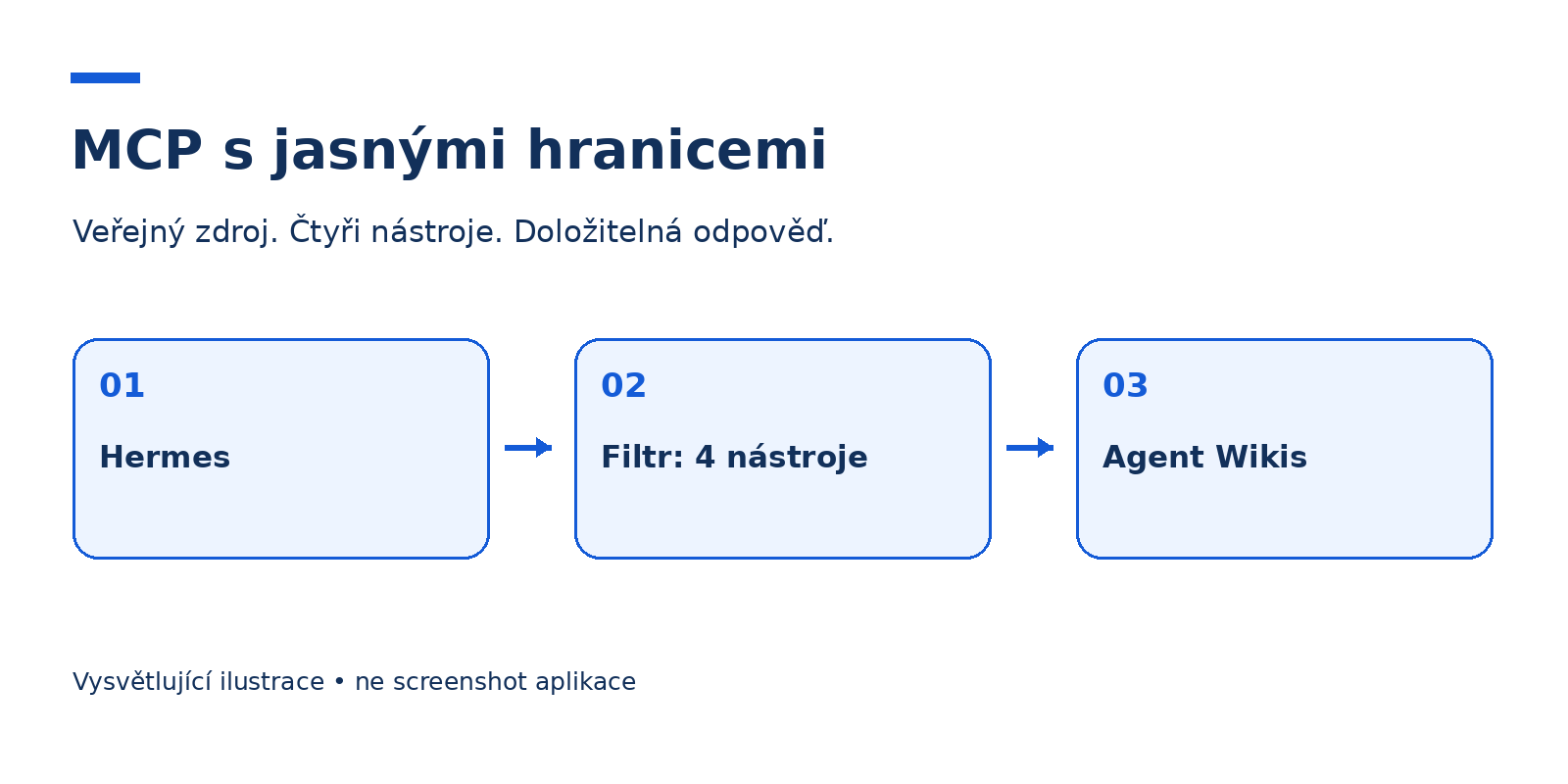

Add an MCP server to Hermes Agent with hermes mcp add or in the mcp_servers configuration section. The important work starts afterward: deciding which data may leave through the connection, which tools the model should see and how you will establish that the restrictions actually apply. We will illustrate this with the public knowledge service Agent Wikis, without accessing your accounts or files.
Scope of verification: This is a research-led practical guide based on current primary sources. No new MCP server was connected here, no Hermes configuration was changed and no model inference was performed. The commands, test prompts and results below are a documented procedure and expected criteria for your own environment, not a record of a successful test.
Hermes is the host; the MCP client handles the connection
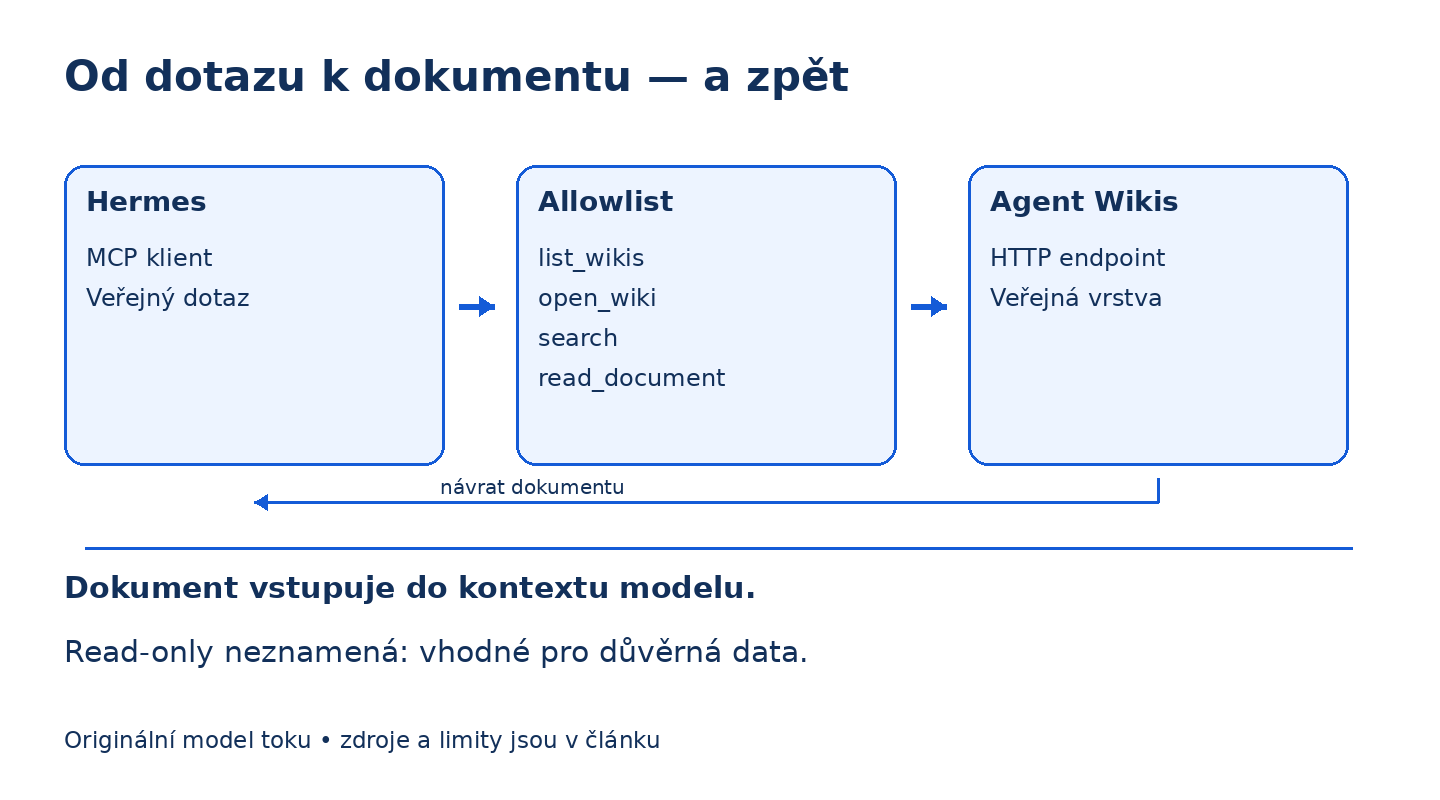
Hermes remains the agent application: it receives tasks, works with the model and decides when to call tools. Its MCP client handles communication with the server. The server provides specific capabilities and data. In our example, these are a catalog of public wikis and access to their documents. The protocol itself neither verifies the truth of retrieved text nor grants permission to use any service you choose.


Agent Wikis is a useful narrowly scoped example because its operator documents a public Streamable HTTP endpoint and read tools. Do not treat it as more authoritative than the developer’s documentation: a wiki can help you find the right topic and its sources, but you need to check the Hermes version and the meaning of a configuration field with Nous Research. The general principle and its marketing applications are discussed in the article on MCP and AI agents in marketing; here we focus on the specific Hermes configuration.
stdio and HTTP have different operational and security implications
With a stdio connection, the client launches a local process and communicates with it through standard input and output. You therefore need the correct executable and its dependencies on the machine running Hermes. That may be a different machine from the laptop running Desktop. A file path inside a container or localhost on a server does not automatically refer to your computer. A local process is not automatically safe either: it may have the permissions of the account running it.
An HTTP server runs with the provider or in your own infrastructure. Agent Wikis requires neither downloading an npm package nor running a local server; the client connects to https://agentwikis.com/mcp. However, your query goes to the service operator, and the returned document may become part of the input sent to your model provider. For nonpublic material, this matters more than a “read-only” label.
According to the operator, reading the public Agent Wikis layer requires no account or key. Paid XL material is a different scope: without the appropriate access, it has not been searched, and you must not mistake that gap for confirmation that deeper documentation does not exist. This guide uses public data only. Do not purchase a plan or key for it.
Add, list and test: first know what you are checking
The following commands are for your terminal on the Hermes host, not for an agent to execute while reading this article. First check hermes --version and hermes mcp --help. The example contains no shell variables or Unix paths, so it reads the same in a Linux, macOS or Windows terminal with Hermes available; verify actual CLI and network availability in your distribution.
hermes --version
hermes mcp --help
hermes mcp add agentwikis --url "https://agentwikis.com/mcp"
hermes mcp list
hermes mcp test agentwikis
When adding the server, decline authentication for the public layer and select only the required read tools if your version offers a selection. Adding the server writes configuration, and testing establishes a real connection, so these commands do not belong in an environment where you lack approval for that change. Before allowing the agent to use the service, review the complete configuration and set the filter in the next section. Do not overwrite an existing entry without comparing its original values.
The documentation for hermes mcp test specifies exit code 0 for a completed connection, 1 for failure, 3 for an unconfigured server and 2 for an argument usage error. Zero does not establish a correct answer, appropriate authorization or model use of a tool. It means the transport step succeeded. Compare the diagnostic tool list with the list actually available in a new session or after /reload-mcp.
Watch the names: the current configuration reference uses the form mcp__agentwikis__read_document, while the general feature page still shows the older single underscores. Do not copy the prefix blindly. Inspect the actual names in your version and use those exact names for manual calls. The filter below takes the original server-side names without any prefix; this documentation discrepancy does not change their meaning.
Allow four tools and disable the rest of the interface
The following YAML is the complete example server entry. Put it in the correct profile’s configuration, not in a second root section alongside an existing mcp_servers. The choice of four tools is deliberate: the catalog, wiki orientation, search and reading an exact document. Agent Wikis offers other read functions, but we do not need them for this task.
mcp_servers:
  agentwikis:
    url: "https://agentwikis.com/mcp"
    enabled: true
    trust: untrusted
    connect_timeout: 60
    timeout: 120
    tools:
      include:
        - list_wikis
        - open_wiki
        - search
        - read_document
      resources: false
      prompts: false
    sampling:
      enabled: false
A nonempty include list is clearer than a list of prohibited operations: new server tools will not be added to it automatically. According to the current reference, include takes precedence over exclude if you specify both. It is not “allow everything on the list, then subtract some.” To remove a tool, take it out of the allowlist. Wrapper functions for resources and prompts have their own switches; shortening the native tool list does not replace disabling them.
Disabling sampling prevents the server from initiating a model request through that MCP capability; it does not mean your agent’s ordinary work has stopped using the model or consuming its budget. According to the documentation, trust: untrusted enables approval for write tools, but classification also depends on the server’s readOnlyHint annotation. This is neither process isolation nor account-side authorization. Do not enable automatic approval on the assumption that this setting will protect everything.
For a service requiring login, first verify its actual method: OAuth is not the same as putting a bearer token in a header. Keep secrets out of prompts, shell history and articles. Complement tool restrictions with the narrowest possible account permissions at the service itself. A filter prevents a tool from being offered through this connection; it does not prevent the agent from using another already-available tool or make a confidential query public.
One document lookup and one deliberately disallowed operation
For a positive check, use this prompt: “Use only the agentwikis connection. Find a public document about MCP, read its full relevant text and return the exact URL, document path, date or freshness information, a specific passage and a link to the original source. If the source is insufficient, say so.” The expected result is more than a polished summary: you must be able to trace which document was actually read. Derive call parameters from the current schema; do not invent wiki IDs or paths.
The negative check can be harmless: verify that the Agent Wikis read_skill tool is absent from the available tools after filtering, even though the service documents it. Do not attempt a destructive operation merely to prove that the system will stop it. Record separately that the public server declares read access and offers no wiki deletion tool at all; a nonexistent write function is not evidence that your filter successfully blocked it. The expected result is the absence of the disallowed tool and no execution of it.
If the connection fails, work through the layers. An unknown server means checking its name and profile. A timeout calls for checking endpoint availability and a reasonable connection limit, not disabling TLS. A connection without the expected tool calls for checking the original name in the allowlist, reloading and reviewing the server’s current capabilities. An answer without a source, by contrast, is a retrieval-quality problem, not a reason to broaden permissions.
To disconnect temporarily, set enabled: false for this entry and load the change with /reload-mcp; according to the reference, the server will not connect and its tools will not register. To remove the configuration entirely, use hermes mcp remove agentwikis, then check the available tools again. Disconnecting does not undo what is already in the conversation, with the model provider or in the remote service’s logs. Handle any tokens and their revocation separately according to the actual authentication method.
Sources and guide validity
The documentation and source files were checked on November 19, 2026. The latest stable GitHub release at the time was Hermes Agent v0.23.2, dated November 16, 2026, commit ae2a81ccc00e9b7c06301523e5bb09608397149c. Live documentation may evolve faster than the installed client; a release reference does not guarantee that every new control is available in an older Desktop. Before use, compare your version and help output with the specific procedure.
- MCP in Hermes
- Configuration reference, including filter precedence
- Practical MCP guide and diagnostics
- Agent Wikis: endpoint, public layer and tool names
- Hermes v0.23.2
Need to define a safe connection to company data?
I can help you define the task an integration should solve, the data it may pass on and how to verify its restrictions before connecting production systems. Get in touch through my contact form.