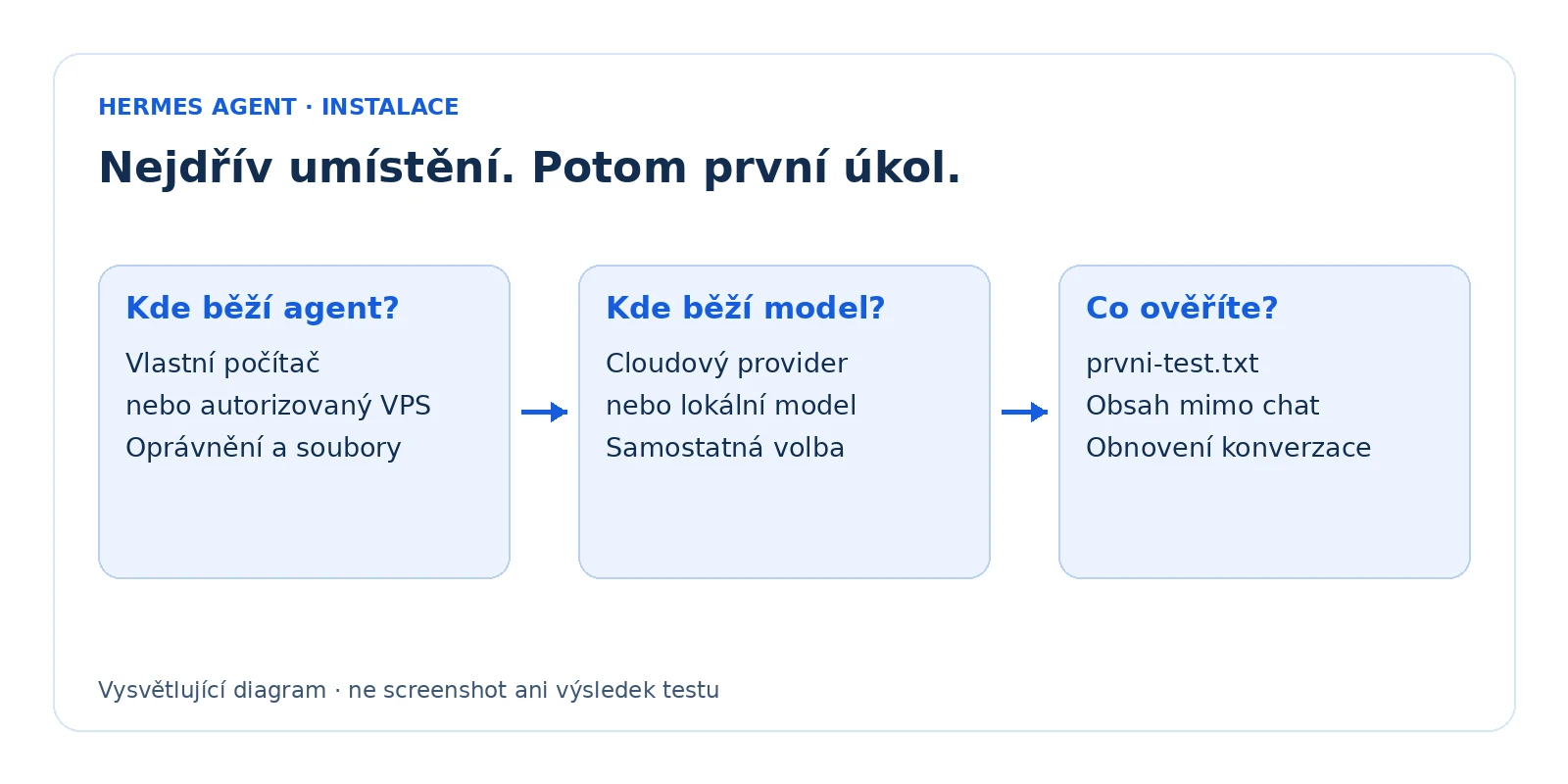

You can run Hermes Agent on your own computer or a remote server. For your first attempt, choose a supported computer, one official installation route and a single model. Add Telegram, other integrations and continuous operation only once the agent can create a simple file and you have verified its contents outside chat.
How this guide was prepared: this is a documented procedure based on official materials checked on November 18, 2026, not a record of a new installation or model test. At the time, GitHub listed v0.23.2, released on November 16, 2026, as the latest stable release. Installation and platform instructions were also compared with documentation in that tag. The expected outcomes below are criteria for your own attempt, not results achieved here. The explanatory images are not application screenshots.
Hermes on your computer or a remote server: what changes, and where the model runs
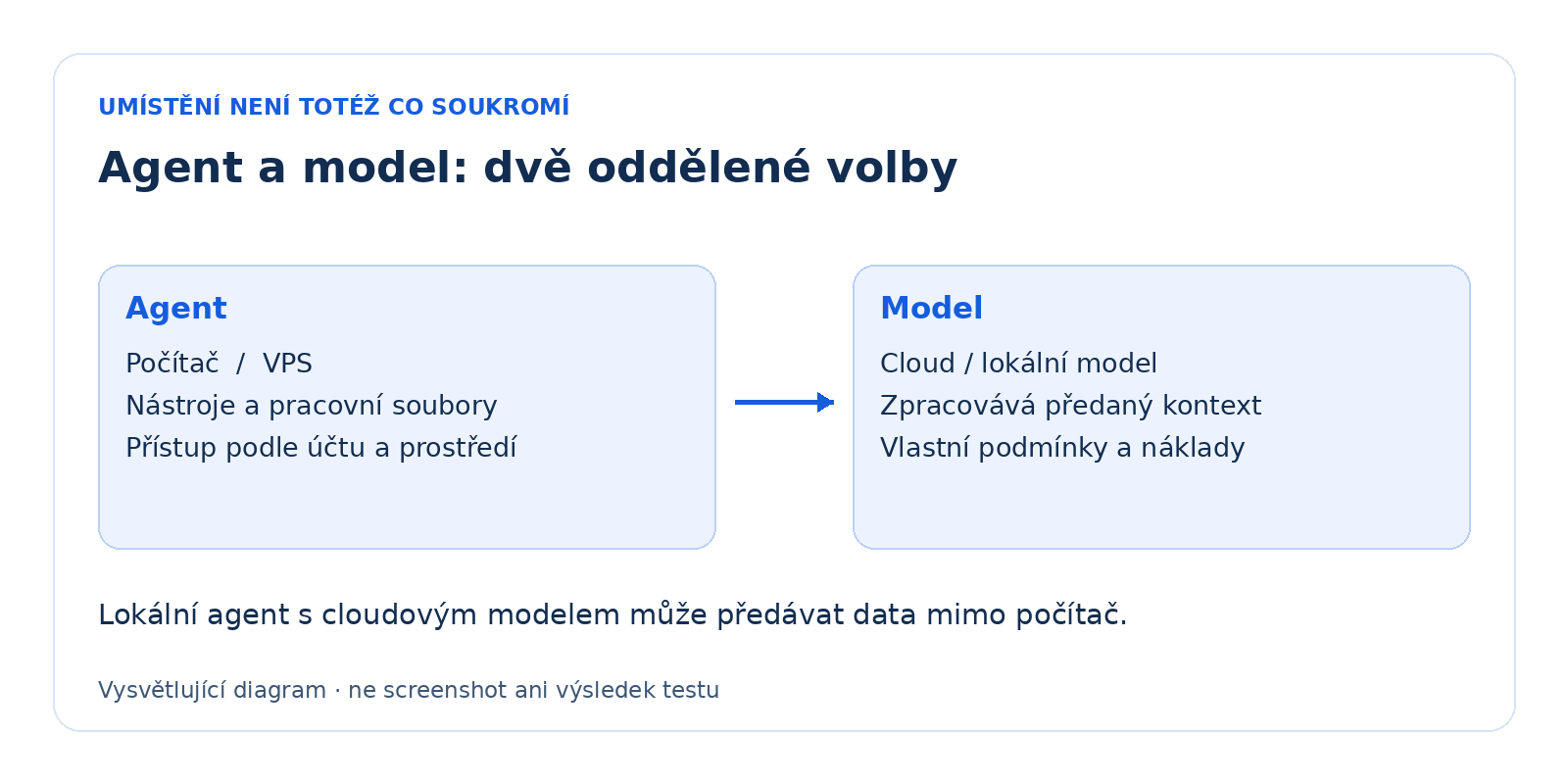
First separate two decisions. Where the agent runs determines where it works with tools and files. Where the model runs determines who processes context to generate an answer. Hermes on your laptop can communicate with a cloud model. A local installation alone therefore does not guarantee that data stays on your computer. A local model is another separately configured service, not something automatically included in the installer.



The overview of popular AI tools explains the differences between a model, application and API. Your own computer is a sensible default for getting acquainted: it is at hand and you need not buy hosting. A VPS—a virtual private server—makes sense if the agent needs to work independently of your personal computer and someone takes responsibility for administration, updates and recovery. A VPS is not a VPN. And a server alone does not add secure isolation or mobile control.
The terminal backend is another separate layer. An agent running on your laptop can send tool commands to a different environment. Configuring an SSH backend is not the same as installing and running all of Hermes on a server. In this guide, the server branch means the latter: you work over SSH in a server account and run Hermes there.
What to prepare: OS, architecture, permissions and dependencies for your installation method
According to the current supported-platform matrix, the main routes include macOS on Apple Silicon, Windows 10/11, and Linux or WSL2 on the listed architectures. This does not mean every package works on every combination. Windows MSIX Desktop requires Windows 11 22H2 or later. Native CLI has its own PowerShell installer, and the matrix lists both x86_64 and aarch64; optional dependencies may have narrower support.
On a Mac, choose the Apple Silicon package. Documentation is not entirely consistent about Intel Macs: the installation page broadly labels them unsupported, while the platform matrix distinguishes the absence of an Intel Desktop bundle from the possibility of CLI use. I therefore do not present Intel Mac as a verified easy route here. For Linux, the authors report testing on current Ubuntu and WSL2; their note that other distributions will probably work is not a guarantee for every system.
The ready-made Desktop package already contains the core runtime and prebuilt interfaces. In contrast, the source installer clones code and prepares dependencies. For the POSIX route, the documentation requires Git, curl, tar and a SHA-256 tool. Hermes package management, called PM, supplies pinned tools including Python; current instructions specify Python 3.14. This is not an instruction to change system Python manually or install Hermes through pip.
A source build may need a compiler and system libraries. A minimal Linux installation may lack libatomic, for example; the installer describes installing the appropriate distribution package. Have an administrator available to approve any system dependencies. Do not apply compilation requirements to the ready-made Desktop package. Work in a regular account, not an administrator account merely for the agent’s convenience.
Where to download Hermes: official Desktop package versus CLI installation
Start at the official Hermes Agent website and the installation documentation. On Windows, the documented package route is an .appinstaller file opened through Windows App Installer, which installs a signed MSIX. On macOS, open the DMG and move Hermes.app to Applications. A Microsoft Store package has its own update management.
Watch out for similar-looking routes: the Hermes-Setup bootstrap downloads a source installation and builds Desktop. It is not the same as a ready-made package with a prepared runtime. For Linux, I choose the CLI installer here, not a presumed universal Linux Desktop download. The official matrix labels PyPI and brew installations unsupported; I do not recommend them as shortcuts.
Documented installation command for Linux, WSL2 and supported macOS, in Bash:
curl -fsSL https://hermes-agent.nousresearch.com/install.sh | bashDocumented installation command for native Windows, in PowerShell:
iex (irm https://hermes-agent.nousresearch.com/install.ps1)Each command downloads and executes third-party code. Before using it, verify the domain, script origin and your authorization for the computer; in a company environment, an administrator approves the procedure. Do not interchange commands between shells. They were not executed during this editorial preparation. Documentation says a new source installation targets the latest stable release; over time, it may therefore install a version other than v0.23.2. Do not choose the main development channel for your first attempt.
Local route: installation, first launch and checking the correct user and data folder
Choose only one route above. After source installation finishes, open a new terminal to load the current PATH—the list of locations where the shell looks for commands. On Windows, distinguish native PowerShell from WSL: a directory in the Linux environment is not automatically the data directory of a native Windows installation.
In the new terminal, record the version as described in the CLI reference:
hermes --versionAlso record the operating system, architecture, computer name, current user and installation method. This is not a requirement to publish those details. You need to know what you actually launched. For a source POSIX installation, user content defaults to ~/.hermes/ and the launcher to ~/.local/bin/hermes. The source Windows installer specifies user data in %LOCALAPPDATA%\hermes\. HERMES_HOME can change the data root; Desktop packages have platform-specific default locations. Do not blindly transfer any of these paths to another method.
Expected outcome according to documentation: the launcher is available in the correct account and recognizes the installation. Diagnostics can help identify its origin. When troubleshooting, do not delete the entire data directory: it contains user settings and other state. Updates belong to the owner of the particular distribution; a source-installation command is not a universal updater for Store, Docker or packaged installations.
Server route: an authorized Linux VPS over SSH with a separate user account
Proceed to a server only if you are authorized to use it and an administrator has confirmed sufficient resources and dependencies. Connect through your usual secure SSH route and verify the host and user before installation. Selecting a remote conversation in Desktop does not prove that the open terminal also runs on the server.
An administrator prepares a separate non-root account and necessary system libraries. In that account, use the same official Linux installer as in the local branch. The service-user documentation explicitly requires the home directory, tool storage, configuration and launcher to belong to the intended account. Do not install everything as root first and then run the agent under a different identity.
Record the version and data location again, this time on the server. Do not copy production credentials, client documents or the administrator’s home directory into the empty working folder. Provisioning a VPS, backups and administration are separate operating costs. This procedure requires no particular hosting provider or plan.
First setup: provider and model selection, authentication, and subscriptions versus API usage
A provider is the service that gives you access to a model. After installation, use the private interactive wizard. If the installer has already opened it, you need not repeat completed settings. Documentation gives these commands for full setup and separate model selection:
hermes setup
hermes model
Choose one route for which you have your own authorized access. The official overview lists, for example, Nous Portal through OAuth, OpenAI Codex through the ChatGPT or Codex Subscription option, and API-key providers. OAuth authenticates and grants access; it is not a universal promise of unlimited usage. A regular subscription to any chatbot does not automatically make its API available to every tool.
For OpenAI Codex, documentation describes device-code login as the default: the person opens the supplied address and completes authentication themselves. They do not put credentials or the code in a conversation with the agent. On a remote computer, another authentication method may require localhost forwarding; first follow the specific provider guide, not a guessed universal OAuth procedure.
Separate the cost of the Hermes distribution itself, model access, any reading or multimedia services, and running a computer or VPS. Auxiliary models and tools have their own routing; a working main chat does not establish that every tool is available and covered by the same account. Your first task needs no fallbacks, image generation or additional integration purchases.
How to enter keys and credentials privately, without chat, screenshots or command history
Enter an API key yourself directly in a trusted interactive wizard or private editor on the correct computer. Do not put it in a command argument that remains in shell history, a Git repository, attachment, public log or chat. I therefore do not reproduce examples placing an actual key value after config set in this guide.
Hermes distinguishes ordinary configuration from secret credentials; a particular OAuth token may be in authentication storage, not necessarily the same file as an API key. Do not share the entire data directory as ‘diagnostics.’ Before sending a log, remove tokens, private paths and conversation content. For a web application password, use the supported credential vault, not a prompt.
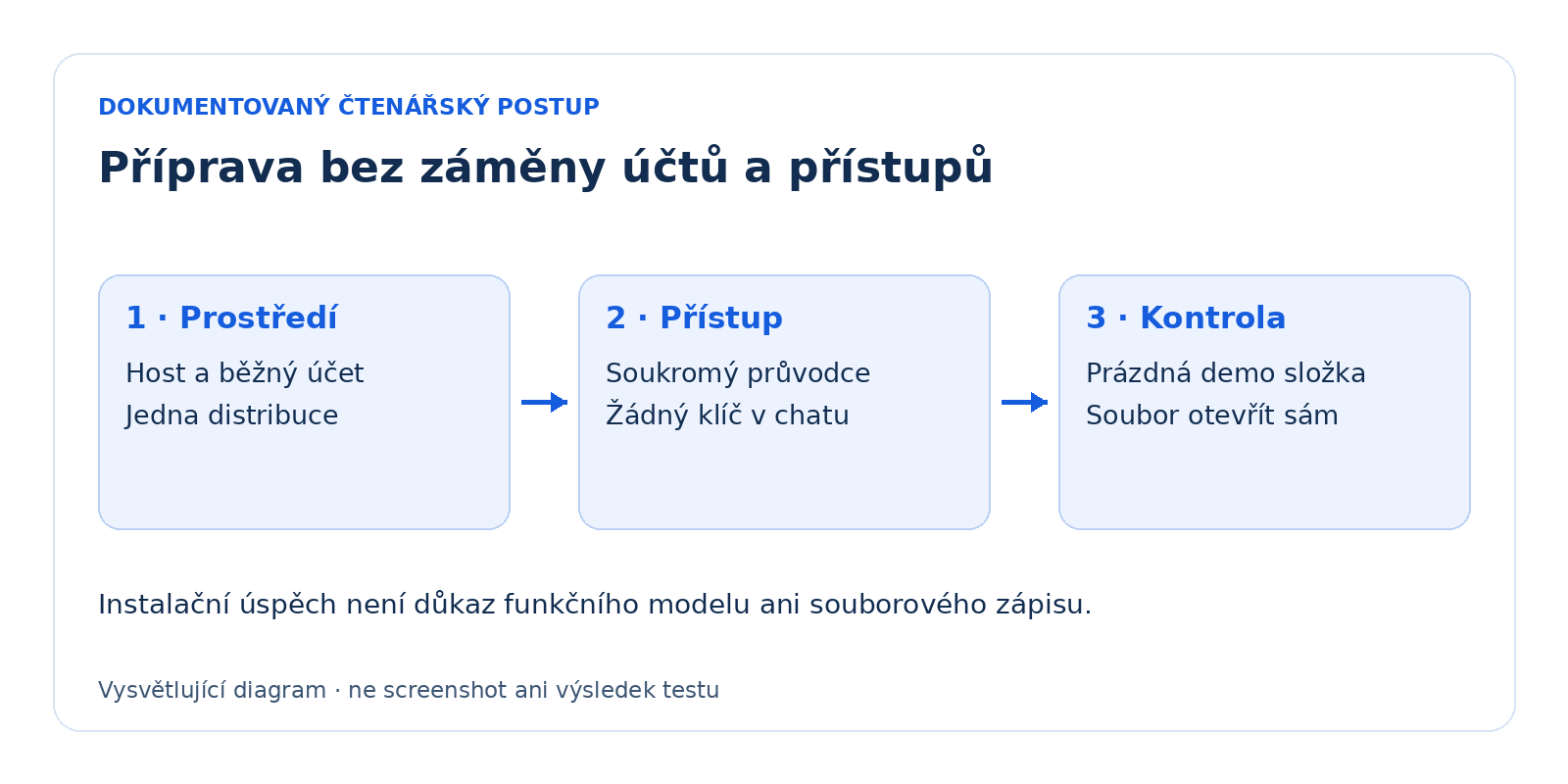
An even more important boundary: saying ‘do not go elsewhere’ is not technical isolation. An agent running tools in your account may have broad access. For the exercise, choose an account and environment without sensitive data; enforced restrictions require system permissions or an isolated backend with restricted mounts and access. The security documentation itself warns that shell-command rules are not an OS sandbox. Do not disable confirmation of risky operations just to make a demo succeed.
First check task: create a file, open it and verify execution and session resumption
Prepare an empty demo folder, open a terminal in it and check your current path before starting. On a remote server, prepare the folder there, not in your local file-manager window. Start chat:
hermesPaste this sample task. It is a prompt for your attempt, not a transcript of a conversation conducted here:
In this empty demo folder, create prvni-test.txt containing Hermes works.
Do not go elsewhere, use the web or access any accounts.
State the exact path to the created file and verify its contents with a tool.
If you do not have write permission, stop and describe the problem.
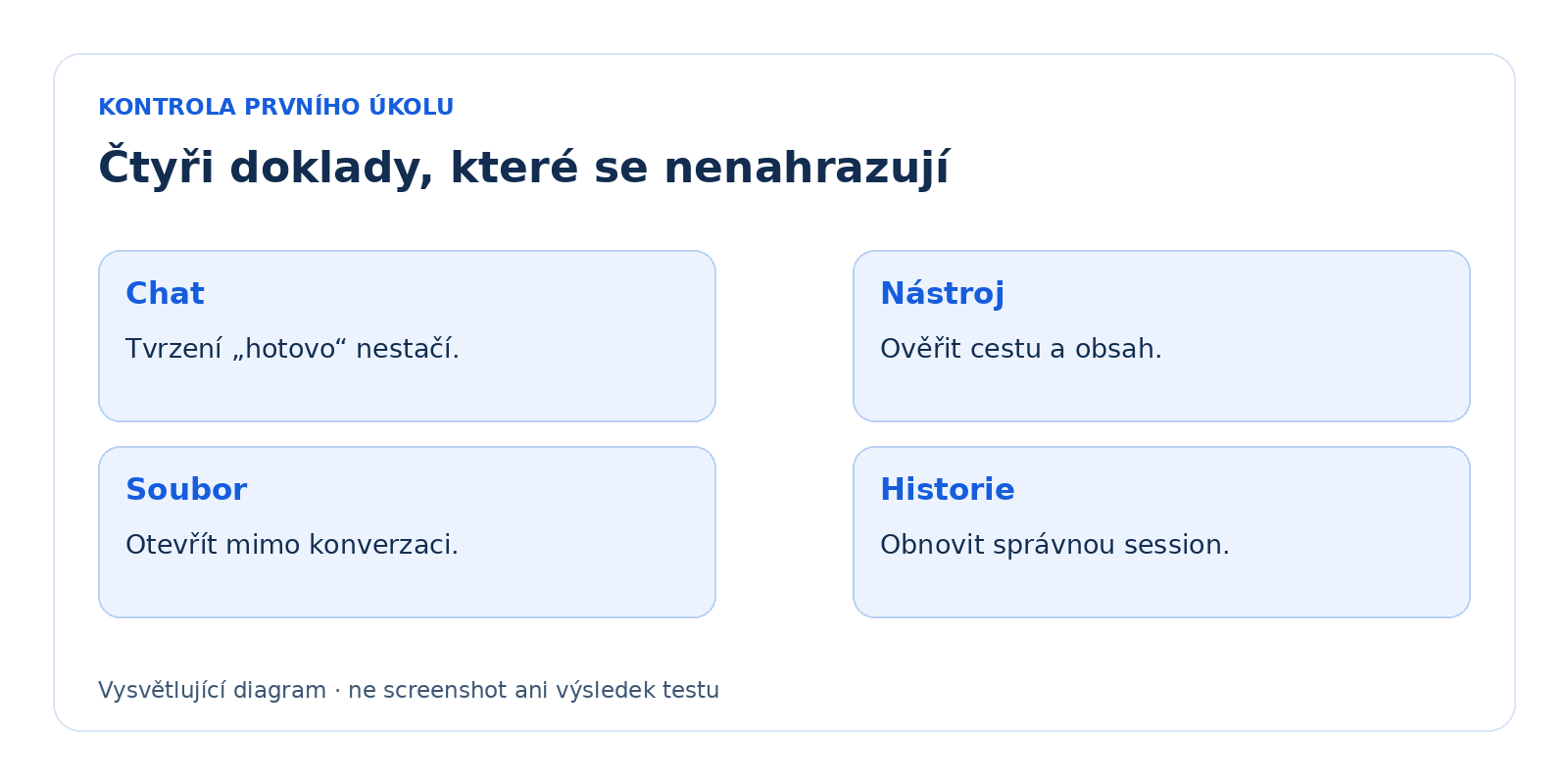
Expected outcome: prvni-test.txt in the authorized folder contains ‘Hermes works’. Ask to see the tool used and its result, but do not stop there. Open the file yourself in an editor or file manager and compare the contents. Neither a ‘done’ reply nor successful chat proves a file write. With a remote backend, also verify which machine the file was created on.
Then exit chat normally and try the documented resumption in the same account and profile:
hermes --continueAccording to the quickstart, the last saved conversation should resume. Check that it is the correct task. Restored history does not prove the file still exists; if you have changed environments in the meantime, verify it again. Record the version, OS, host, file path and result of each check. Describe a failure as a failure, not a qualified success.
When startup fails: PATH, provider, missing dependencies and diagnostics without leaking secrets
If the shell cannot find hermes, first check the installation method, user and PATH; opening a new terminal is often the right first step. Do not delete configuration merely because the launcher was not found. If the application opens but the model does not respond, return to the specific provider and its authentication. More tools will not solve this problem.
For diagnostics, documentation specifies:
hermes doctorRead the output locally. A missing library, inaccessible data folder and incorrect provider are different faults with different fixes. For a missing mount, first restore the correct storage; a new setup could create different state in the wrong place. After fixing it, repeat the same file task so you can see what changed. Do not rerun installers or bypass permissions without checking.
Optional after CLI works: phone control through Telegram, a secured gateway and autostart
Using a phone need not mean using a VPS. Telegram can also communicate with Hermes on a powered-on personal computer if its messaging gateway is running and connected. A server adds independence from a laptop, not a replacement for this integration. Desktop can connect to a remote backend through Settings → Gateways; there is no separate ‘remote-only’ Desktop download.
For the smallest Telegram setup, create your own bot with the official @BotFather using /newbot. Keep the token private. Follow the Telegram guide to find your numeric user ID—not just your username—and start the wizard:
hermes gateway setupSelect Telegram, enter the token directly in the wizard and allow only your own user ID. Do not put the token in chat or open the bot to everyone. The wizard may offer to start or restart the gateway; documentation gives hermes gateway for a manual foreground run. Then send one harmless query without private data from your phone and verify the reply actually arrives. A ‘running’ status alone does not prove delivery.
Configure autostart using the guide for your OS. Linux with systemd supports a user service installed with hermes gateway install; operation after logout requires correctly enabled linger. A system service is an alternative mode, not a second service to run concurrently. macOS uses launchd. Windows uses Task Scheduler at login, and its launcher alone does not guarantee recovery of a process that crashes later. After configuration, verify the relevant logout or restart and an actual message. Do not expose an unprotected public administration port or disable the firewall for convenience.
Resilient-operation details belong in the follow-up gateway installment. A first start needs less: the correct host, one provider, one opened file and verified resumption. Only then does a multi-step research task make sense.
Sources and validity of the guide
Checked on November 18, 2026: Installation, Platform Support, Quickstart, AI Providers, Security and the messaging guides linked above. The release is documented in the v0.23.2 release notes. Live documentation may run ahead of the installed package; compare your version and installation method, not just the article date.
Need to prepare a meaningful first task for an AI agent?
Installation is a beginning, not a finished company process. If you want to verify specific work with Hermes, I can help define the task, permitted data and output checks. Tell me which task your company is dealing with; do not send credentials or confidential materials through the form.