
Hermes can work with Obsidian as a directory of Markdown files. But a useful knowledge base needs more than telling the agent where the directory is. You also need to define what it should look for, how it should recognise a reliable source and how it should correct a note when information changes. Otherwise, you merely speed up the production of text you will not trust a month later.
Scope of verification: This article contains an original illustrative note assembled from three public sources and a documented procedure for finding and correcting it. No actual vault, private material, Hermes memory or integration settings were changed here. The illustrative note is an authored example, not a simulated output presented as the result of an executed agent run.
Preferences are not research: what belongs in memory and what belongs in the vault
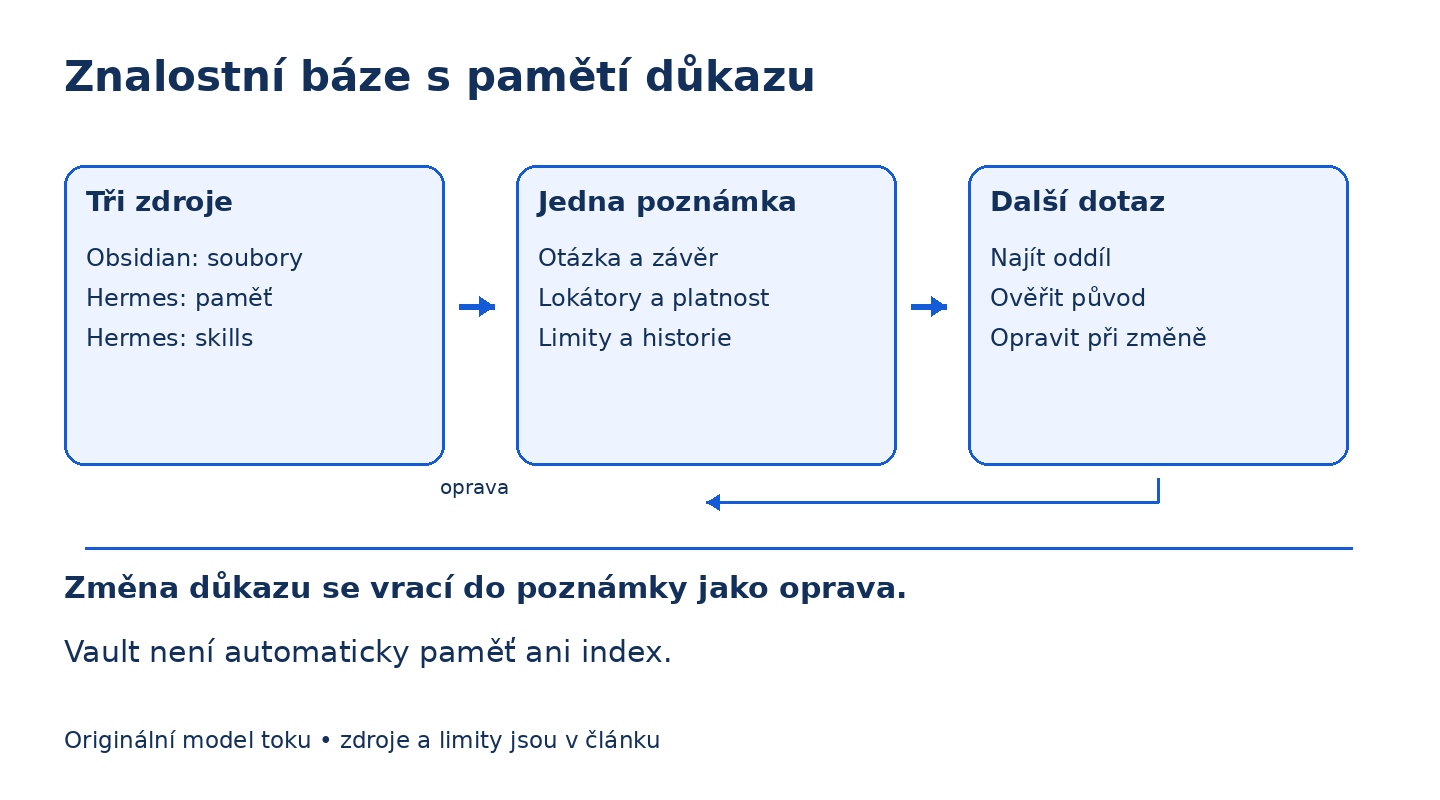
The preference “reply in Czech” has a different lifespan and function from a conclusion about the current MCP configuration. The former helps across tasks; the latter needs a date and source because it becomes outdated. According to the documentation, Hermes’s built-in memory uses MEMORY.md and USER.md files, inserted into the system prompt as a snapshot at the start of a session. This is not the place for entire manuals and an evidence archive. External memory providers have their own mechanisms; do not extend this description to them.


The vault holds topic-based material and its relationships. A skill holds the procedure for working with it. One note can therefore contain an explanation of a decision, sources and caveats, while a skill defines when to find the right section and how to check whether it still applies. The skills documentation describes progressive loading instead of permanently inserting every reference. That is a useful design principle, not a measured token saving in a particular setup.
Verify the vault path on the host where the tools run
Obsidian describes a vault as a folder on the local filesystem, including subfolders, and notes as Markdown files. The application also picks up changes made by another editor. Basic work therefore does not require an Obsidian plugin or a database server. That does not mean an agent automatically sees the vault on your laptop when its tools run on a VPS.
First confirm the actual host, user and specific path. A working copy on Linux might be /home/uzivatel/ukazkovy-vault, on macOS /Users/uzivatel/Documents/Ukazkovy vault, and on Windows C:\Users\uzivatel\Documents\Ukazkovy vault. These are placeholder examples, not the location of your data. WSL, a container and a remote terminal each have their own view of files. An environment variable from one program may not automatically carry over to another, and a variable alone is not a permission.
Start with a separate working folder containing public data and read-only access. Direct file access is the shortest route if the backend legitimately has it. A narrowly scoped filesystem MCP can be an alternative for a designated folder; it does not replace operating-system permissions either. A dashboard plugin is a user interface, and an indexed retrieval system is another separate layer. Do not add all three before you know which problem you are solving.
Allow writes only after approval of the specific target folder and a recovery option. Have the agent show a proposed diff first. Do not include the .obsidian configuration folder, credentials or mounted private folders as a side effect of research. Concurrent writes by the agent, a person and a sync service can create conflicts; automatic application refresh is not a versioning or backup strategy.
One substantial note from three public sources
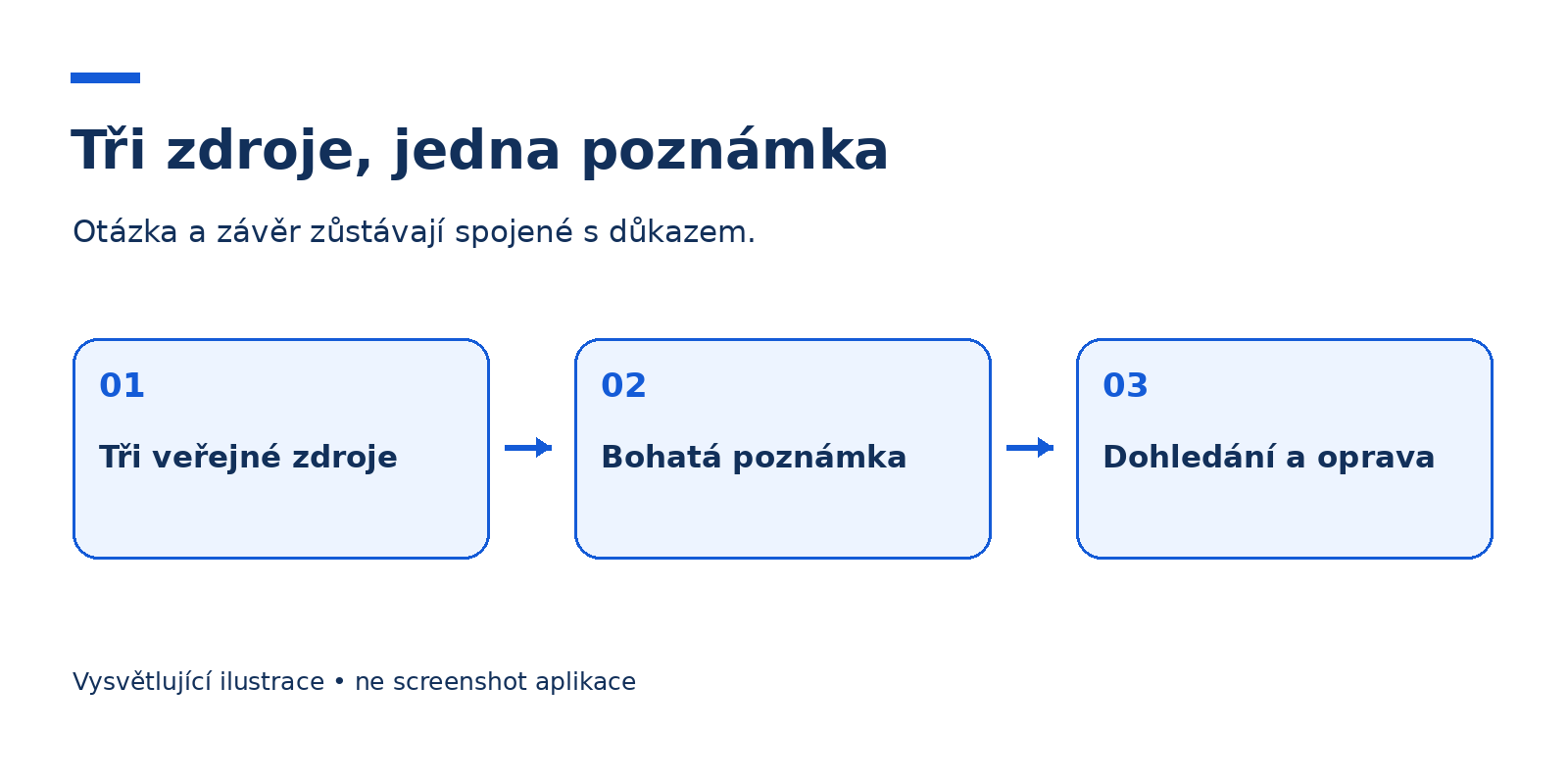
The following example addresses one question: how to separate assistant preferences from research material. It deliberately uses three sources, each explaining a different layer: Obsidian storage, Hermes memory and Hermes skills. These are not three short notes named after URLs, but one conclusion with support, boundaries and a procedure for use. Any further source should add evidence or change the decision, not merely increase the link count.
Preserve the question, conclusion, sources with locators, check date, scope and limitations. The correction record is part of the note: future readers need to know why an earlier conclusion was abandoned. The roles and history below are explicitly illustrative; they are not Martin’s personal experience or a change to an existing vault. The block can be copied as a standalone Markdown file.
---
title: How to separate agent preferences from research material
status: illustrative-example
verified: 2026-11-19
scope: public sources; Hermes built-in memory; local Markdown
owner: illustrative knowledge administrator role
---

# How to separate agent preferences from research material

## Question and decision
Where should research be stored so it can be found next time without
requiring the agent to receive the entire archive in every conversation?

Conclusion: brief long-term preferences belong in built-in memory.
Evidence-backed content belongs in a readable topic-based Markdown note in the vault.
A repeatable search and verification procedure belongs in a skill.
This is an organisational design, not an enabled integration or a savings measurement.

## What we know from three public sources
[S1] Obsidian stores notes as Markdown files in the vault folder.
Another editor can modify them, and Obsidian continuously picks up external changes.
Locator: How Obsidian stores data, opening paragraph; Vault settings.
Implication: basic file work does not require another plugin.
This alone does not solve remote access, permissions, concurrent writes or backups.

[S2] Hermes built-in memory consists of MEMORY.md and USER.md files. The documentation
describes inserting them into the system prompt as a snapshot at the start
of a session. A later memory write does not retroactively change that snapshot.
Locator: How It Works; Frozen snapshot pattern.
Implication: memory is brief orientation material, not a complete source archive.
Scope: built-in memory, not every external memory provider.

[S3] Skills use progressive loading: first the list and description,
then the full SKILL.md and a specific reference file as needed.
Locator: Progressive Disclosure.
Implication: the research procedure can be separated from topic material.
A skill can define source checks; it does not itself guarantee the material is true.

## Practical use for illustrative research
For the next question, first search for the note by topic and synonyms.
Read the entire relevant section, including limitations and the source list.
For a time-sensitive capability, reopen the original documentation.
The answer must reference [S1], [S2] or [S3] and the relevant section,
not merely a general claim that everything is stored in the knowledge base.

A short preference could record, for example: preferred language is Czech.
This note should hold the reasons, sources and applicability of the decision.
The skill should hold the working rule: before answering, load the required section,
check the date of a sensitive claim and retain both evidence versions if they conflict.
This example did not create any actual memory entry or skill.

## Conflict and correction of an illustrative working claim
An earlier illustrative claim in the draft, not a source quotation:
“Connecting a vault automatically makes all its notes part of Hermes memory.”

Correction: a vault path alone does not create an index, a memory provider or transfer
all notes into the prompt. [S1] describes files, [S2] built-in memory
and [S3] progressive skill loading. These are not three competing descriptions of one thing.
The false conflict came from confusing storage, memory and an access method.
Change: revision 2 replaced automatic linking with explicit retrieval.
Reason: the claim of automatic transfer is unsupported by the cited sources.

## Limitations and the next check
Access to any private vault, synchronisation and performance have not been verified.
No sentence here proves reduced tokens, faster operation or model quality.
Before reuse, check for changes to the memory and skills documentation.
When a source changes, retain the previous claim in the history and correct the conclusion.
When using an external provider, add its own data and time scope.

## Sources
[S1] https://help.obsidian.md/Files+and+folders/How+Obsidian+stores+data
Section: introduction and Vault settings. Read 2026-11-19.
[S2] https://hermes-agent.nousresearch.com/docs/user-guide/features/memory
Section: How It Works; Frozen snapshot pattern. Read 2026-11-19.
[S3] https://hermes-agent.nousresearch.com/docs/user-guide/features/skills
Section: Progressive Disclosure. Read 2026-11-19.

## History
Revision 1: an illustrative working draft with an incorrect automatic link.
Revision 2, 2026-11-19: source verification and the correction described above.
This is a teaching history for an illustrative note, not events in someone else’s vault.
Retrieval without putting the whole knowledge base into context
The first step is selecting the right note, not automatically attaching it to every prompt. For a small knowledge base, a title, tags, content search and a sensible topic index are often enough. Supplement a search for “memory” with “preferences”, “snapshot” and “research material”, for example, if that word alone returns unrelated notes. Once you find it, also read the neighbouring paragraph and limitations; an isolated sentence may have a different scope from the overall conclusion.
A practical instruction to your agent might be: “In the permitted folder of public notes, find the decision about separating preferences from research material. Give the file, section heading, check date and specific claim. Read its limitations and original source. If evidence of automatic linking is missing, do not promise it. Do not write anything without further approval.” The expected answer must be checkable against the note and its [S1], [S2] or [S3]. This is not a test executed here.
An exact locator should contain at least a URL and heading or a document path; for a copy, retain the date and a hash where needed. A hash establishes file identity, not truth or that it was read. For changing documentation, keep traceable source evidence alongside the brief note, not an anonymous quotation “according to the internet”. If an answer relies on your own judgement, label it as a recommendation.
Do not correct a conflict by rewriting history
The illustrative note does not show a disagreement between three vendors. The incorrect working claim about automatically transferring an entire vault confused storage, built-in memory and a loading method. The correction should preserve the original sentence as an illustrative rejected draft, explain the reason and state the new conclusion. This prevents the same shortcut from returning a month later as a supposedly verified fact.
When documentation actually changes, the procedure is similar, but do not assume that a newer date alone settles everything. Check the product version, installation type, OS and layer being described. Two statements may both be true for built-in and external memory, or local and remote access. If they truly describe the same thing and contradict each other, retain both exact sources and limit the conclusion until it is resolved. Do not replace uncertainty with a more confident writing style.
Before an authorised save, read the original file, prepare a narrow diff and verify that it has not changed in the meantime. Afterwards, read the exact target again and check headings, sources and links. Changing a general conclusion may require correcting an index or incoming links; that is not a reason to automatically create three more empty notes. Responsibility for accepting a substantive conclusion remains with a person.
When a folder and content search are no longer enough
Consider a separate retrieval system when you repeatedly cannot find relevant material, the number of documents outgrows a clear structure, or you need multiple users with different permissions, versions and measurable index freshness. Test the decision with real questions: was the correct document found, does the reader have access, and did the answer preserve its limitations? Installing a vector database alone guarantees none of these conditions.
Obsidian, gbrain and an external memory provider are not interchangeable names for the same feature. Do not connect another layer merely because its name includes memory. The article on RAG and answer correctness explains the general risks of working with retrieved material. For a small topic-based knowledge base, start with specific retrieval and source verification; add a more complex index only for a demonstrated need.
Sources and applicability of this guide
The documentation and source files were checked on 19 November 2026. The latest stable GitHub release at verification time was Hermes Agent v0.23.2 of 16 November 2026, commit ae2a81ccc00e9b7c06301523e5bb09608397149c. Live documentation can evolve faster than the installed client; the release information does not guarantee that every new control is available in an older Desktop. Before use, compare your version and help with the specific procedure.
- Obsidian: How Obsidian stores data
- Hermes: built-in memory and snapshots
- Hermes: Progressive Disclosure for skills
- Hermes v0.23.2
Want a knowledge base where you can trace a decision?
I can help you choose a note structure, source-verification rules and an access method that fits your data and the team’s actual work. Write to me through the contact form.